
If you have ever stood on a mountaintop in Minecraft and wished the horizon did not dissolve into fog, you have probably heard of Distant Horizons — the mod that renders terrain hundreds of chunks away at almost no performance cost. The big question for multiplayer players is: does Distant Horizons work on Realms? The short answer is yes — with one important caveat about how the mod behaves on servers. This guide explains exactly how it works on a Realm, how to set it up, and what to do when things do not look right.
We will also answer the related question players always ask next — how does Distant Horizons work in the first place — because understanding the mod’s trick is the key to understanding its limits on Realms.
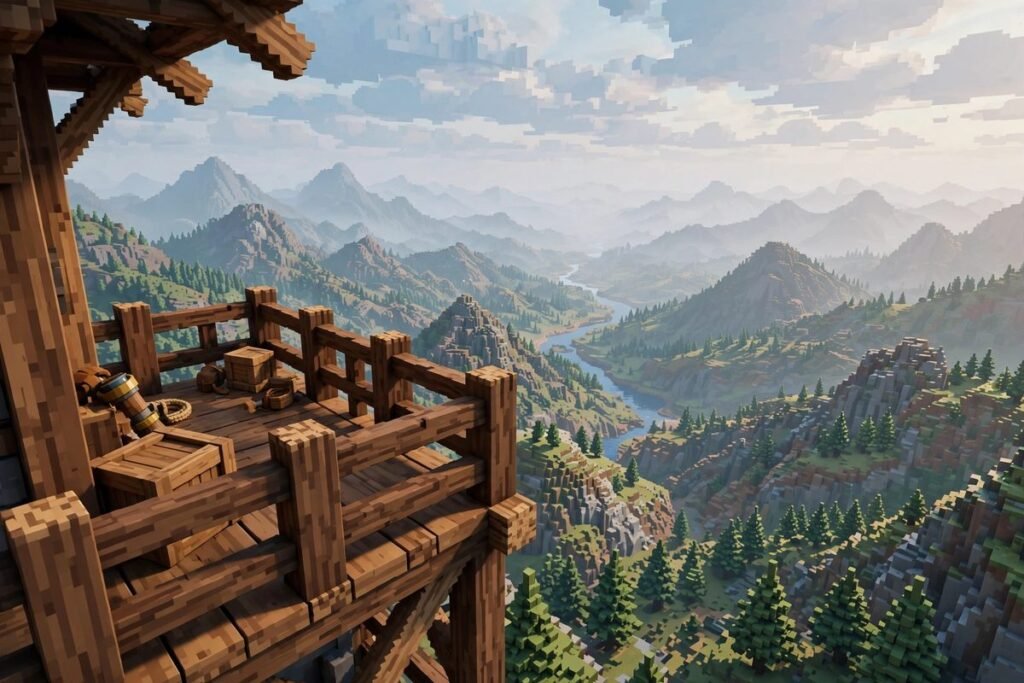
Table of Contents
The Short Answer: Yes, Distant Horizons Works on Realms
Does Distant Horizons work on Realms? Yes. Distant Horizons is a client-side mod, which means it runs entirely on your own computer. Your Realm does not need the mod installed, your friends do not need it, and nothing about the Realm’s settings has to change. You install it on your own game, join the Realm like normal, and the distant terrain starts rendering in glorious low-detail form.
The caveat: on a server (and a Realm is just a Mojang-hosted server), one of the mod’s features — Distant Generation — does not work. That feature lets the mod generate terrain for areas you have never visited, which is only possible in single-player where your computer is the one doing the world generation. On a Realm, the server generates the world, so Distant Horizons can only render areas you have actually explored. More on that below.
How Does Distant Horizons Work?
To understand the Realm behavior, you need the thirty-second version of how Distant Horizons works. Vanilla Minecraft only renders chunks near you — even on a powerful PC, the game’s render distance caps out far below what your eyes can see, and the rest is fog. Distant Horizons sidesteps this with LODs: level-of-detail models.
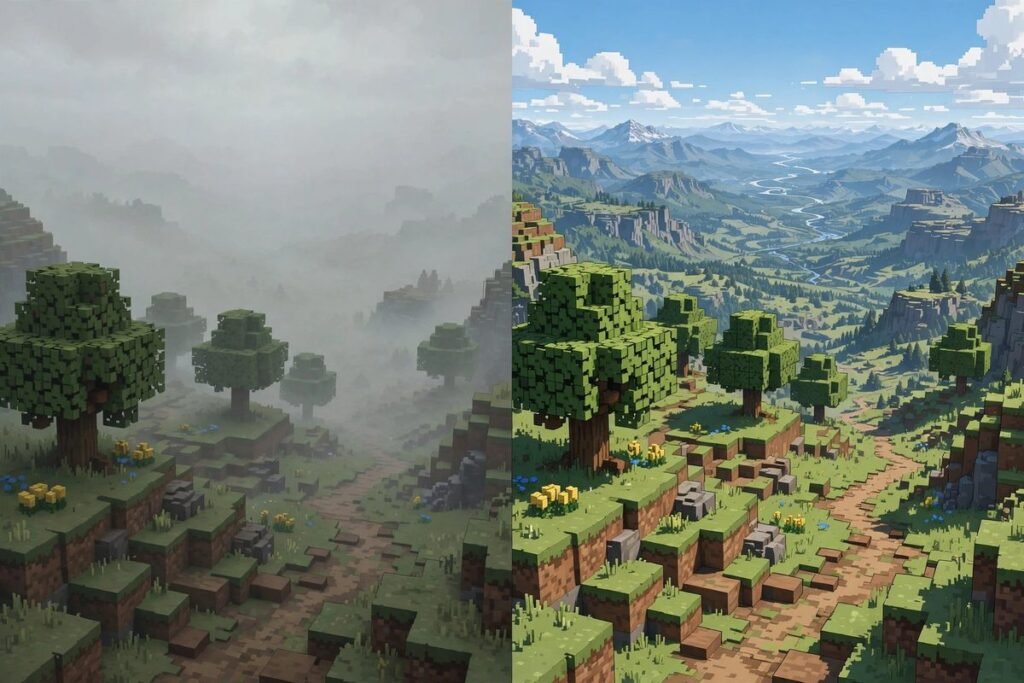
Here is the trick. When your game loads a chunk normally, Distant Horizons saves a simplified, low-detail copy of that chunk’s terrain to a local database on your computer. Later, when you look at the horizon, the mod renders those saved LODs instead of full chunks — simple colored shapes that cost almost nothing for your graphics card to draw. Up close, you see normal Minecraft. Far away, you see the LOD approximations. The result: render distances of 256, 512, even thousands of chunks with barely any FPS loss.
Two things follow from this design that matter for Realms players:
- It is client-side. The mod never changes what the server sends you. It just remembers what it has seen and re-renders it cheaply. That is why it works on any server, including Realms, without the server owner installing anything.
- It can only render what you have loaded. If you have never visited an area, there is no LOD saved for it — unless Distant Generation is running, which needs to happen on the machine that generates the world.
What Changes When You Play on a Realm
Playing with Distant Horizons on your own Realm versus single-player feels nearly identical — until you understand these three differences.
1. Distant Generation does not work on Realms
In single-player, Distant Horizons can generate LODs for chunks you have never visited, filling in the horizon with terrain your game has never actually loaded. On a Realm, the server owns world generation, and your client cannot generate chunks the server has not sent. So on a Realm, LODs only appear for areas you have physically explored. The mod’s own FAQ confirms this: with the mod installed client-side only, “you have to explore the world to load them.”
In practice this is barely a limitation. Explore an area once — fly over it with an elytra, sail past it in a boat — and it is cached forever. Your Realm’s landscape fills in naturally as you play.
2. The server still limits how far you can see “live” chunks
Distant Horizons does not change the server’s view distance. Realms servers send you chunks within their own configured range (typically around 10 chunks), and the mod cannot force the server to send more. What it does is remember every chunk you have ever loaded and keep rendering the memory of it. So the horizon is built from your exploration history, not from live server data. If your friend builds something new 500 blocks away, you will not see the new build in the LOD until you go visit it and your cache updates.
3. Your LOD cache is per-world and per-device
The LOD database lives on your computer, tied to the specific Realm. If you reinstall Minecraft or switch computers, the cache starts empty and rebuilds as you explore. Nothing is lost from the Realm itself — the world is untouched. And your Realm-mates see nothing different unless they install the mod themselves.
How to Set Up Distant Horizons for Your Realm
Setup takes about ten minutes. You need Minecraft: Java Edition — Distant Horizons is a Java mod (Fabric, Forge, or NeoForge) and does not exist for Bedrock, which matters for the Realms question below.
- Install a mod loader. Download Fabric Loader or NeoForge for your Minecraft version from their official sites. Distant Horizons supports modern versions on both; check the mod’s page for the exact version you play on.
- Download Distant Horizons. Get it from its official Modrinth page. Make sure the file matches your loader and game version.
- Put the file in your mods folder. This is the step people mess up: the file must be a
.jarsitting directly in.minecraft/mods. If you installed it through an installer (like the Iris shader installer, which can bundle DH), double-check that the jar actually landed in the mods folder — a common support-thread complaint is that the installer put it somewhere else and the mod silently does nothing. - Launch the game and open the DH settings. From the title screen or in-game, find the Distant Horizons config. Set your LOD render distance — start around 128–256 chunks and adjust. On a Realm, leave “Distant Generation” on; it simply will not do anything server-side, which is normal.
- Join your Realm and explore. Fly, walk, or sail around. The horizon fills in as you go. Give it a few minutes on first join — the initial LOD build for your surroundings takes a little while.
Allocate enough RAM before you start: 6–8 GB for most PCs, more for high core counts. The mod is CPU-heavy when generating LODs, so close background apps on your first big exploration session.
Java Realms vs Bedrock Realms: The Edition Problem
This is the one hard “no” in the whole topic. Does Distant Horizons work on Realms depends on which Realms you mean:
- Java Realms: Yes, fully. Install the mod on your client and join. Java Realms do not support server-side plugins, but that does not matter — Distant Horizons is client-side and Mojang has no rule against client visual mods on Realms.
- Bedrock Realms (console, mobile, Windows Bedrock): No. Distant Horizons is a Java Edition mod and cannot run on Bedrock at all. Bedrock Realms support add-ons and resource packs, but nothing like Distant Horizons exists for the Bedrock engine.
If your Realm is Bedrock, the closest alternatives are the in-game render distance slider (capped much lower than DH) and fog-tweaking resource packs. It is not the same, but it is what the platform allows.
Common Problems and Fixes
LODs are not loading on the Realm at all
First, verify the mod is actually running: the DH config screen should be reachable. If it is not, the jar is not in your mods folder — recheck step 3 above. If the mod runs but the horizon stays foggy, remember that on a Realm LODs only exist for explored areas. Brand-new areas or a fresh install will look vanilla until you explore. Give it time; the cache builds as you move.
The game stutters when generating LODs
LOD generation is CPU-intensive. The mod’s own FAQ suggests: use a modern garbage collector (ZGC for newer Java), allocate more RAM, lower the DH CPU load setting, or temporarily disable Distant Generation. Most stutter happens during the first exploration pass and settles down once an area is cached.
Chunks look wrong or pop in and out
This usually means the LOD cache is stale — someone changed the terrain since you last visited. Revisit the area and the cache updates. If it persists, you can clear the LOD data for the world from the DH config and let it rebuild.
It worked in single-player but not on the Realm
This is the Distant Generation difference, not a bug. In single-player the mod pre-generates the horizon; on the Realm it cannot. Explore more and the view fills in. If literally nothing renders even around your base, check the mods folder issue above.
Performance Tips for Realm Play
- Start conservative. A 128-chunk LOD distance already transforms the game. Push to 256+ only if your CPU handles it.
- Lower the CPU load preset first. DH’s graphics presets trade generation speed for smoothness — on a Realm you are in no hurry, so favor smoothness.
- Pair it with an elytra session. The fastest way to build your Realm’s LOD cache is a dedicated exploration flight. Bring fireworks, fly a grid pattern, and watch the map fill in.
- Shaders need DH-aware versions. Not all shader packs support Distant Horizons; check compatibility lists before combining them, or your distant terrain may render unshaded.
Is It Allowed? The Rules Question
Players sometimes worry that a mod on a Realm could get them banned. Realms are private, invite-only servers run by Mojang, and Distant Horizons changes only what you see — it sends no modified packets, grants no gameplay advantage beyond seeing farther (which any high render distance does), and does not touch the server. It is in the same category as minimaps, shaders, and performance mods: a client-side visual enhancement. Server admins on public servers occasionally have their own mod policies, but on your own Realm, it is your call.
Distant Horizons on Realms FAQ
Does Distant Horizons work on Realms without the server installing it?
Yes. It is fully client-side. Nobody else on the Realm needs the mod, and the Realm’s settings do not change.
Why don’t I see distant terrain on my Realm like in YouTube videos?
Those videos are usually single-player with Distant Generation pre-building the horizon. On a Realm, LODs only cover areas you have explored. Explore more and the view catches up.
Does Distant Horizons work on Bedrock Realms?
No. It is a Java Edition mod (Fabric/Forge/NeoForge) and cannot run on Bedrock, console, or mobile.
Will it slow down my Realm for other players?
No. All the work happens on your computer. Other players are unaffected whether or not they use the mod.
Do I need to reinstall it after Minecraft updates?
Usually yes — mods are version-specific. Wait for a Distant Horizons release matching the new game version, then update the jar in your mods folder.
How does Distant Horizons work with shaders on a Realm?
It works, but only with shader packs built with DH support. Check the shader’s documentation; incompatible shaders may leave distant LODs unshaded or cause glitches.
Conclusion
So, does Distant Horizons work on Realms? Yes — install it on your own Java Edition client, join your Realm, and explore. The horizon fills in as you travel, the server never knows the difference, and your friends do not need to change a thing. Just remember the one real limitation: Distant Generation cannot pre-build unseen terrain on a server, so your view is built from your own adventures, not generated in advance.
For downloads and the official FAQ, see Distant Horizons on Modrinth. And once your view distance is sorted, put it to use with our Minecraft exploration guide — because a 500-chunk horizon is wasted if you never go look at it.