
Search “block lava minecraft” and you’ll find players asking the same cluster of questions: what exactly is the lava block, how is it different from the lava you see flowing in caves, and — the big one — can you actually get the lava block as an item? The answers are more technical than most players expect, because in Minecraft, lava isn’t really a “block” in the way stone or dirt is. It’s a fluid wearing a block’s costume.
This guide explains the block lava minecraft concept from the ground up: the lava block’s two states (still and flowing), its hidden technical properties, how to place lava with commands in creative mode, why there’s no lava item in survival, and how builders use the lava block for lighting, traps, and decoration. If you want the survival-focused mechanics — damage, flow distances, farming — see our full Minecraft lava block guide. This article is about the block itself.

Table of Contents
What Is the Lava Block?
In the game’s code, lava is a single block type (minecraft:lava) with two states: still and flowing. The still state is what players call a “source block” — a full, calm cube of lava that sits in place. The flowing state is everything else: the streams pouring down cliff faces, the thin sheets spreading across cave floors, the lavafalls in the Nether. Every flowing block traces back to a source, and each one carries a “level” value that decreases with distance from that source, which is why flowing lava gets visibly thinner the farther it travels.
Key technical properties of the block lava minecraft block, straight from the game’s data:
- Light level 15 — the maximum brightness in the game, equal to daylight and glowstone. Nothing glows brighter.
- Blast resistance 100 — lava can’t be blown away by TNT or creepers.
- Transparent — like water and glass, it doesn’t fully block light or vision.
- Renewable: yes — thanks to the pointed-dripstone-and-cauldron mechanic, lava can be farmed indefinitely.
- Creates new sources: no — unlike water, lava never duplicates itself from adjacent sources.
So when someone says “block lava,” they usually mean one of two things: the still source block specifically, or lava-as-a-placeable-thing in creative mode. Both are worth unpacking.
Still vs Flowing: The Two Faces of Block Lava
Understanding the still/flowing split explains half of lava’s confusing behavior:
- Still (source) lava is the full cube. It’s the only form you can collect with a bucket. It never spreads on its own, never thins out, and never disappears. Underground lava lakes are made almost entirely of source blocks stacked together.
- Flowing lava is what a source generates. In the Overworld and End it reaches 3 blocks out from the source (a 4-block footprint including the source); in the Nether it reaches 7 blocks out (an 8-block footprint). It advances slowly — one block every 30 game ticks (1.5 seconds) in the Overworld, one block every 10 ticks in the Nether — and each step outward is a lower “level” than the last.
- Flowing lava can’t be picked up. Right-click flowing lava with a bucket and nothing happens. Only the source block fills a bucket. This is the single most common lava frustration in the game, and it’s entirely about the still/flowing distinction.
- Flowing lava destroys items and many non-solid blocks it touches, and anything it destroys is gone — lava doesn’t drop loot the way water does.
The embers and fire particles drifting above lava? Purely decorative. They can’t start fires or damage anything — they’re the game’s way of making the block feel alive.
Can You Get the Lava Block as an Item?
Here’s the answer most block lava minecraft searchers are really after: no — not in survival, and not as an inventory item in Java Edition at all.
In Java Edition, lava has no direct item form. You can’t pick it up, craft it, or carry “a lava block” in your inventory. The closest thing is the lava bucket, which holds one source block’s worth of lava and lets you place it back down. In Bedrock Edition, a lava item form exists but only through inventory editing or add-ons — not through normal gameplay.
This wasn’t always the plan. Very early in the game’s history (the Survival Test era), explosions near lava could briefly drop lava as an item, and debug chests in Beta 1.6 contained lava items. Those were removed in 1.8, and lava has been bucket-only ever since. Mojang’s design logic is clear: a placeable, stackable lava item would trivialize traps, lighting, and fuel — the bucket’s one-at-a-time limit is the balancing mechanism.
Placing Block Lava With Commands
In creative mode or with cheats enabled, commands give you direct control over the block lava minecraft block:
/setblock ~ ~ ~ minecraft:lava— places a still lava source block at your position. This is the command equivalent of emptying a bucket, minus the bucket./fill x1 y1 z1 x2 y2 z2 minecraft:lava— fills a whole region with source blocks. Mapmakers use this to build lava lakes, moats, and arenas in seconds.- Bedrock bonus: in Bedrock Edition,
/setblockcan create stationary lava that doesn’t flow — useful for decorative lava walls that would otherwise spill everywhere. - The
lavaSourceConversiongame rule (Java): flip this totrueand lava starts forming new source blocks the way water does — the closest survival gets to “infinite lava” without dripstone.
Fair warning for creative builders: /fill with lava is one of the easiest ways to accidentally flood a build. Lava flows, sets fires, and destroys what it touches — always test on a copy of your world first.
How Builders Use the Lava Block
Creative players treat block lava as a building material with three superpowers: maximum light, unmistakable color, and danger. Common techniques:
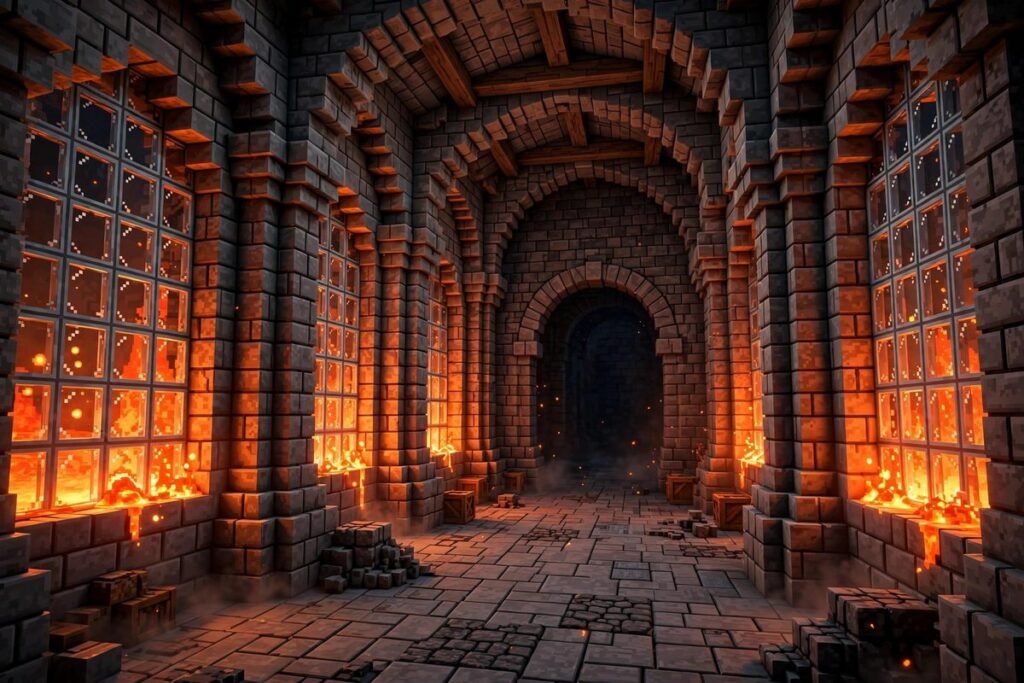
- Glass-cased lighting: The classic. Encase lava (or lava source blocks behind glass panes) in walls, floors, or ceilings for light level 15 illumination with zero torch spam. It reads as “high-tech” or “volcanic” depending on the surrounding palette.
- Lava curtains and waterfalls: A single source block at the top of a wall creates a dramatic flowing sheet — popular for castle gates, nether portals frames, and dungeon entrances.
- Mob-system blades: In farms, thin sheets of flowing lava (often controlled with signs to stop the flow) damage mobs without destroying most drops — the engine behind countless XP and loot farms.
- Trash disposal: A single lava block in a “trash can” build destroys unwanted items permanently. Cactus does the same job, but lava is faster and more satisfying.
- Warning stripes: Because every player instinctively fears lava, builders use it as visual language — “this area is dangerous” — in adventure maps and minigames.
Block Lava and Fire: The Safety Rules
Any builder working with the block lava minecraft block needs to know its fire-spread rules, because lava starts fires at a distance:
- Air blocks in a 3×1×3 area directly above lava — or a 5×1×5 area two blocks above — can catch fire if flammable blocks are nearby.
- The block to be ignited must be within a 3×3×3 cube centered on the lava block.
- Build your lava features from non-flammable materials (stone, cobblestone, glass, deepslate) and keep wood, wool, and leaves well clear — or encase the lava fully in glass, which blocks fire spread while showing off the glow.
- Water is the instant fix: it converts lava surfaces to obsidian or cobblestone on contact.
My original tip: when designing lava lighting for a wooden-heavy build (a tavern, a viking hall), put the lava behind a full glass wall rather than open to the air. You keep 100% of the light level 15 glow with zero fire risk — and it looks better, like a lava aquarium.
Block Lava in World Generation
Even in pure survival, you’re constantly encountering the block lava block — the game generates it everywhere:
- Deep caves and canyons: lava replaces air between Y=-55 and Y=-63, and lava aquifers fill below Y=0. This is prime diamond territory, which is why miners and lava are eternal companions.
- Surface lava lakes: small pools generate above Y=0 in any biome.
- Lava springs: single source blocks pouring down cliff faces and cave walls into pools below.
- Villages: weaponsmith buildings contain 2 lava sources (plains, snowy plains, desert) or 1 (savanna) — a convenient early-game pickup.
- The Nether: lava oceans at y=32, underground pockets, basalt delta flows, fortress well rooms, ruined portals, and bastion remnants.
- Structures: 15 blocks in a stronghold’s End portal room, a forge room and secret lava room (25 blocks!) in woodland mansions.
Renewable Block Lava: The Dripstone Trick
Since lava never duplicates itself, a single source block used to be gone forever once bucketed. Not anymore: place a lava source above a pointed dripstone stalactite with a cauldron underneath, and the stalactite slowly drips lava into the cauldron without consuming the source. Each random tick has a 15/256 (~5.9%) chance to completely fill an empty cauldron, averaging about 19 minutes per bucket. Stack multiple setups and you have a true lava farm — the block lava minecraft block, made renewable.
Block Lava Minecraft FAQ
What is the lava block in Minecraft?
It’s the game’s lava fluid rendered as a block (minecraft:lava), existing in still (source) and flowing states. It emits light level 15, has blast resistance 100, and is renewable via dripstone farming.
Can you pick up the lava block?
Only with a bucket, and only the still source block — flowing lava can’t be collected. There’s no “lava block” inventory item in survival Java Edition.
How do you place lava blocks with commands?
Use /setblock ~ ~ ~ minecraft:lava for a single source block or /fill for regions. In Bedrock, /setblock can also make stationary non-flowing lava.
Does lava destroy blocks?
Lava destroys most items and many non-solid blocks it flows over (without dropping them), and it can ignite flammable blocks nearby. Solid building blocks like stone and glass are safe.
What’s the difference between still and flowing lava?
Still (source) lava is the full, collectible cube; flowing lava is the thinner streams spreading from a source (up to 3 blocks out in the Overworld, 7 in the Nether). Only still lava can be bucketed.
Conclusion
Block lava minecraft isn’t a block you carry — it’s a fluid the game renders as a block, split into still sources and flowing streams, obtainable in survival only by bucket and placeable freely with commands in creative. Understand that split and everything about lava clicks into place: why buckets fail on flows, why builders case it in glass, and why a single source block above a dripstone can fuel your furnaces forever.
For the survival player’s companion guide — damage numbers, flow distances, and every practical use — read our Minecraft lava block guide, and check Minecraft Wiki’s lava page for the complete technical reference.